


Complete Anatomy
3.4442.00 Reviews
App Specs
- Version
- 12.0.0
- Updated On
- License
- Free
- Downloads
- 1,000,000+
- Developer
- 3D4Medical from Elsevier
- Categories
- Medical
- Platform
- Android, iOS
Screenshots
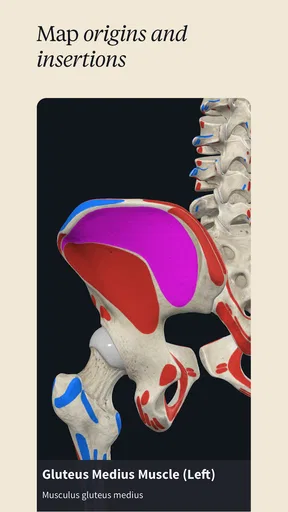
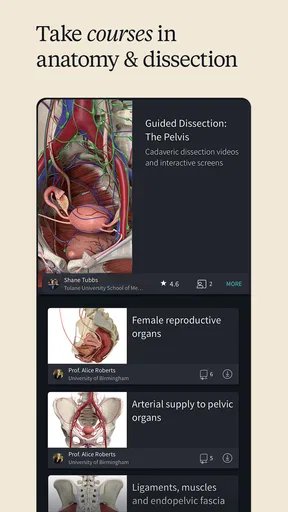

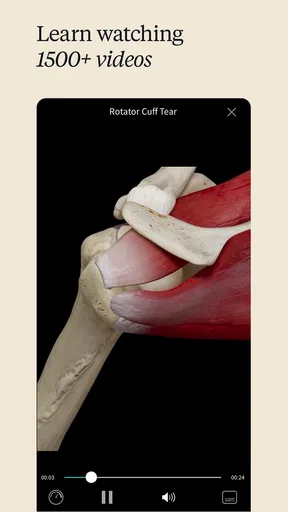
 Analysis by AppCompare
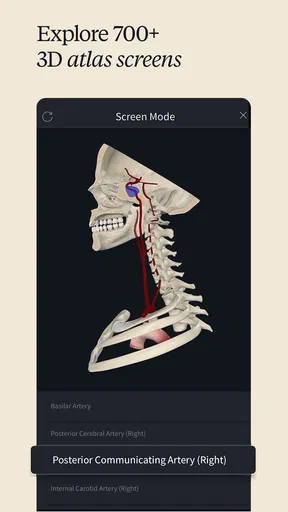
I judge an anatomy reference by whether it helps me answer a concrete question, not just by how impressive its images look. Complete Anatomy makes its central strength clear: it lets me inspect the body as a layered three-dimensional structure. That changes the way I can follow relationships between tissues, especially when a flat diagram makes it hard to tell what lies in front of or behind something else.
Why a three-dimensional view matters
When I am trying to understand a joint, a muscle’s position, or the route of a nerve, orientation is often the difficult part. A conventional textbook illustration can explain a structure well, but it fixes the view on the page. Here I can rotate the model and adjust the view, which helps me build a more spatial sense of anatomy instead of memorizing a single picture.
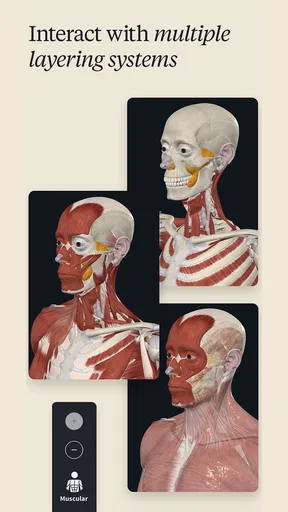
The layers are useful for another reason: they let me move from a broad view toward a more focused one. Rather than treating a body part as a single object, I can examine how its visible components sit together. That is particularly helpful when reviewing a topic after class or preparing to explain it to someone else. I can use the model to check whether I have understood the arrangement, then return to my notes for the terminology and detail I need.
How I would use it during a study session
I get the most from the app when I arrive with a specific question. For example, if I am revising the structures around the shoulder, I can look at the area from more than one angle and peel back layers to make the relationships easier to follow. I would not try to learn an entire body system by wandering through the model without a plan; that can turn a useful visual tool into a distracting tour.
A practical routine is to read a short passage or review a lecture first, open the relevant region, and then test my understanding by describing what I see without looking back at the explanation. The model supports the visual part of that loop, while the app’s educational material, lectures, and quizzes can help with reinforcement. I also find it useful to return to the same view later: recognizing a structure from a different angle is a better check of spatial understanding than remembering one screenshot.
This approach also helps when I am studying with a classmate. One person can name a structure or ask where it sits in relation to another, while the other rotates the model and explains the answer. That turns the visual reference into a prompt for active recall instead of a screen to admire. For teaching, I would use it selectively: a model can make a spatial point vivid, but it should support an explanation rather than replace clear teaching or a reliable course text.
Using the model in context
I use this section to consider how a movable anatomical model fits into the wider study routine, rather than treating it as a substitute for every reference. The practical question is when changing the viewpoint helps me understand something that a fixed page cannot, and when a book or concise lookup is simply quicker. That distinction matters most when choosing what to open during a busy study day.
Worth Reading Before You Choose

Flipboard Shows What News Apps Must Do Beyond the Feed

Switching to Android Auto Means Rethinking Your Driving Routine

Google Calendar Makes a Crowded Week Easier to Manage

Ludo King Makes the Most of the Minutes Between Plans

Baby Panda World Brings Quick Play to Modern Phones, but Its Game Library Feels Busy

ESPN’s Live Game View Makes Following Close Games Easier
Where it fits among anatomy resources
Compared with a printed atlas, the main advantage is freedom of viewpoint and the ability to explore layers directly. A book can be faster when I want to scan a labeled image, compare several diagrams on one spread, or work without a device. A general web image search may answer a quick question, but images can vary in quality and perspective, and it is not always easy to tell how one view relates to another. The three-dimensional model is most valuable when the question depends on position, depth, or how structures connect.
That does not make it a replacement for every resource. I would pair it with class notes, a textbook, or clinical references when accuracy, context, or a particular course’s terminology matters. A visual model can clarify what I am looking at, but it cannot decide which details are important for an exam or substitute for professional judgement. If I only need a quick definition, a dictionary or concise reference may be more direct; if I need to understand spatial relationships, this is the stronger tool.
A realistic everyday use
Imagine I have a short break between classes and realize I still confuse the position of two structures in a region I have just studied. I can open the relevant model, rotate it until the arrangement makes sense, and then close the app and try to explain the relationship from memory. That is a focused use of a few minutes, not a promise that a brief session will teach the whole topic. The benefit is that I can address one visual gap immediately instead of carrying the confusion into the next study session.
For a longer revision block, I would keep a small list of questions beside me: which structure is superficial, what lies next to it, and what changes when I view the area from another side? These questions make exploration purposeful. They also reveal a trade-off: the freedom to move around is powerful, but it can consume time if I keep changing views without a learning goal.
What to consider before installing
Complete Anatomy is a medical app from 3D4Medical from Elsevier. It is free to install, has an Everyone age rating, and offers in-app purchases ranging from $0.99 to $119.99 per item. The app’s average rating is 3.4 from around 11,000 ratings, with about 441 written reviews, and it has more than a million installs. I would treat that rating as a reason to check whether its approach suits me rather than as a verdict on the model itself: people may want very different things from an anatomy app, from a quick lookup to a deeper learning resource.
The version is 11.7.1, and the minimum operating-system requirement is 7.0. Because the app includes paid items, I would look carefully at what is available without a purchase and what a particular course of study actually needs before spending money. The free starting point is useful for trying the interface, but I would not assume that every lesson or tool is included at no cost. It is a sensible choice if I expect to return to anatomy regularly; for a one-off question, a book or a basic reference may be enough.
Who will benefit most
I would recommend it most to anatomy students, educators, and healthcare professionals who need to reason about where structures sit in three-dimensional space. It can also suit a curious learner who is willing to work through the subject carefully rather than expecting a quick, simplified overview. The courses, lectures, quizzes, and animations give the visual exploration more learning context, while the model provides a way to inspect the subject from angles a fixed diagram cannot offer.
I would be more cautious if I were using a small or older device, since detailed 3D scenes can be demanding and may feel less smooth on hardware that struggles with them. I would also skip it if I mainly wanted a lightweight glossary, a simple symptom checker, or medical advice: an anatomy learning app is not a diagnostic tool. The same applies if I dislike navigating visual models or prefer a fixed page that I can annotate quickly. In those cases, a textbook or simpler reference will likely get me to the answer with less effort.
First Impressions
The first thing that caught my eye was the app’s sleek design and intuitive interface. It’s clear that Complete Anatomy was crafted with both professionals and curious minds in mind. Navigating through the app is a breeze, and it doesn’t take long to find yourself immersed in the 3D models that are, quite frankly, stunning.
The detail is impeccable. You can rotate, zoom, and peel back layers to explore muscles, bones, nerves, and more. It’s like having a virtual cadaver right at your fingertips. The developers have done a fantastic job of making complex information accessible and engaging.
Diving Deeper
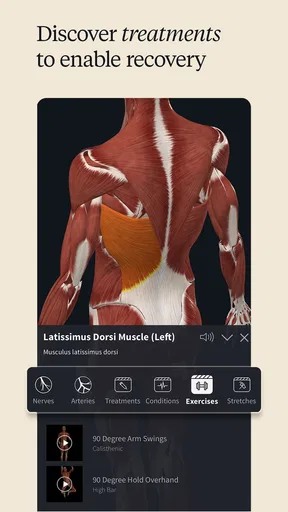
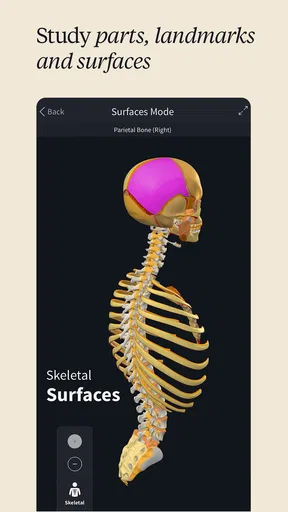
One of the app’s standout features is the ability to explore the body in incredible detail. You can view individual structures or focus on specific systems. It’s perfect for students, educators, and healthcare professionals who need a reliable reference tool.
The app offers an impressive library of educational content. I found the lectures and quizzes particularly helpful, as they reinforce learning in a way that’s interactive and fun. If you’re a visual learner like me, you’ll appreciate the animations that break down complex concepts.
Why It Stands Out
What really sets this app apart is its use of advanced technology to enhance learning. The AR (Augmented Reality) mode is a game-changer. Being able to project 3D models into the real world provides a unique learning experience that traditional textbooks simply can’t match.
Another feature worth mentioning is the community aspect. Users can share and view custom content, which broadens the scope of learning and allows for collaboration. It’s like joining a global classroom where everyone is both a student and a teacher.
Room for Improvement
While the app is impressive, it’s not without its quirks. Some users might find the subscription model a bit pricey, especially if they’re not utilizing all the features. However, the investment is worthwhile if you’re serious about learning anatomy.
I also noticed that the app can be a little resource-heavy, so make sure your device is up to snuff. Occasionally, there may be minor lags when loading complex models, but this is a small price to pay for the depth of content available.
Final Thoughts
In the end, Complete Anatomy is more than just an app; it’s a comprehensive educational tool. Whether you’re a medical student, a professional, or simply someone who loves learning about the human body, this app offers something for everyone.
With its detailed models, rich educational content, and cutting-edge technology, it’s a resource that’s both informative and captivating. So, if you’re ready to explore the human body like never before, give Complete Anatomy a try. Trust me, you won’t be disappointed.
Pros
- Detailed 3D models enhance learning.
- Interactive features simplify complex concepts.
- Regular updates with new content.
- User-friendly interface for easy navigation.
- Available on both Android and iOS.
Cons
- Requires a high-performance device.
- Subscription model can be costly.
- Large app size needs significant storage.
- Occasional bugs in rendering models.
- Limited offline functionality.
FAQs for Complete Anatomy
What features does Complete Anatomy offer?
Complete Anatomy provides a comprehensive 3D anatomical atlas that includes detailed models of the human body. Users can explore layers of the anatomy, view muscle movements, and access quizzes for learning. The app also offers tools for note-taking and creating custom presentations, making it ideal for both students and professionals.
Is Complete Anatomy suitable for beginners in anatomy?
Yes, Complete Anatomy is designed to be user-friendly for beginners while still offering advanced features for experienced users. It includes an intuitive interface, tutorials, and various learning modes to help newcomers understand complex anatomical structures and systems effectively.
What are the system requirements for Complete Anatomy?
Complete Anatomy requires a modern operating system to run smoothly. For iOS, it is compatible with devices running iOS 12.0 or later. For Android, a version of Android 7.0 or higher is recommended. The app also requires a stable internet connection for downloading content and updates.
Does Complete Anatomy offer any interactive learning tools?
Yes, the app includes several interactive learning tools such as quizzes, 3D animations, and the ability to manipulate anatomical models. These features help users engage with the material actively, enhancing their understanding and retention of complex anatomical information.
Is there a free version of Complete Anatomy available?
Complete Anatomy offers a free version with basic features, but access to the full range of content and advanced features requires a subscription. The subscription unlocks additional models, deeper layers of anatomy, and more interactive tools, providing a more comprehensive learning experience.


